Result Screen Overview
Section Structure:
- Score Summary: Displays the user’s final score, number of correct and incorrect answers, and total time taken.
- Category Info: Shows the category or quiz title for context (e.g., “India Quiz – General Knowledge”).
- Rewards & Coins: Displays any coins or prizes earned based on performance.
- User Rank: Indicates the user’s rank among all quiz participants if the quiz was part of a contest.
- Congratulatory Message: Displays a message like “Well Done!” or “You’re a Quiz Master!” with emojis or badges.
- Share Option: Option to share the score on social media or invite friends.
- Play Again / Home: Action buttons to replay, explore more quizzes, or return to the home screen.
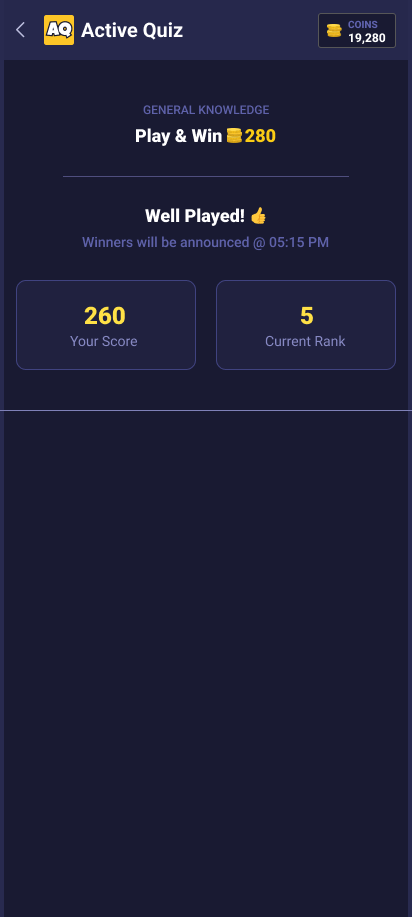
This screen shows the user’s performance after completing a quiz — including score, accuracy, rewards, and leaderboard rank if applicable.