MODULE 5: Questions
Quiz Question Screen
The quiz question screen on Active Quiz presents users with a question and multiple-choice answers. Users can utilize lifelines to assist them in answering the question.
Screen Overview:
-
Score Display:
Your Score: [Current Score] – Indicates the user's current score. -
Question Counter:
[Current Question]/[Total Questions] – Indicates current question number out of total. -
Question:
[Question Text] – A multiple-choice question asking specific knowledge or information. -
Answer Choices:
[Option 1]
[Option 2]
[Option 3]
[Option 4] -
Lifelines:
Users can take help using lifelines which can be free or cost coins. -
Timer:
[Time Remaining]s – Countdown timer showing remaining time to answer.
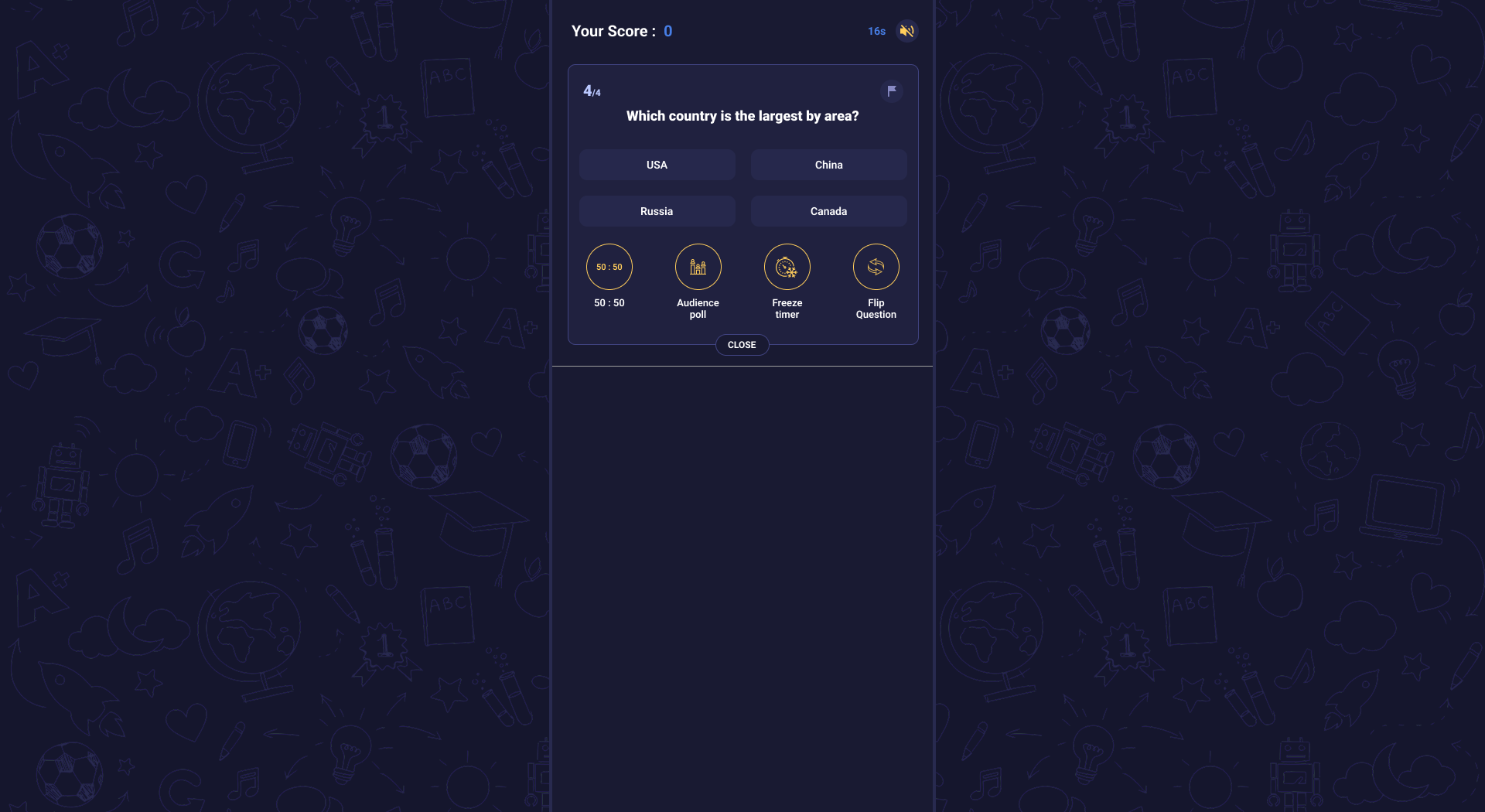
This image shows the quiz question screen layout with timer, lifelines, and answer options.
Lifeline Options:
- 50:50: Eliminates two incorrect answers, leaving two choices.
- Audience Poll: Displays percentage of votes each answer received from audience.
- Freeze Timer: Pauses countdown to give user more thinking time.
- Flip Question: Skips the current question and presents a new one.
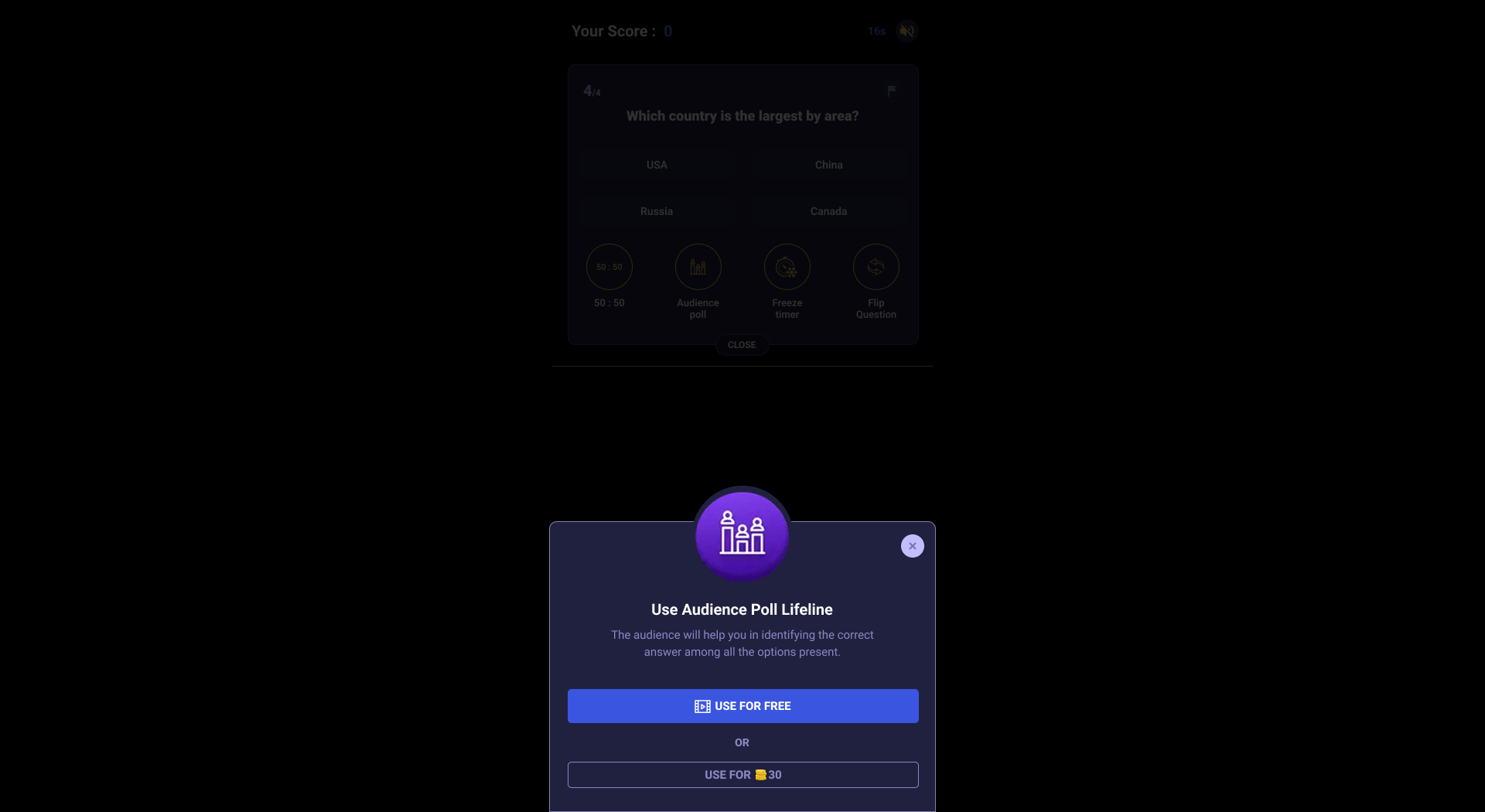
This image shows the lifeline panel including 50:50, audience poll, flip question, and freeze timer options.
Close Button:
CLOSE: A button to close the lifeline options panel.