Home Screen Overview
Section Structure:
- Header: Contains the platform logo, menu icon, login/logout button, and coin display (if the user is logged in).
- Featured Quizzes: Displays image banners or cards representing trending or featured quizzes.
- Quick Actions: Navigation buttons or icons for Spin Wheel, Contests, Categories, and other key modules.
- User Info: Shows user profile photo/icon, welcome text, or guest badge based on login status.
- Dynamic Content Area: Includes modules like quiz recommendations, leaderboard previews, and category shortcuts.
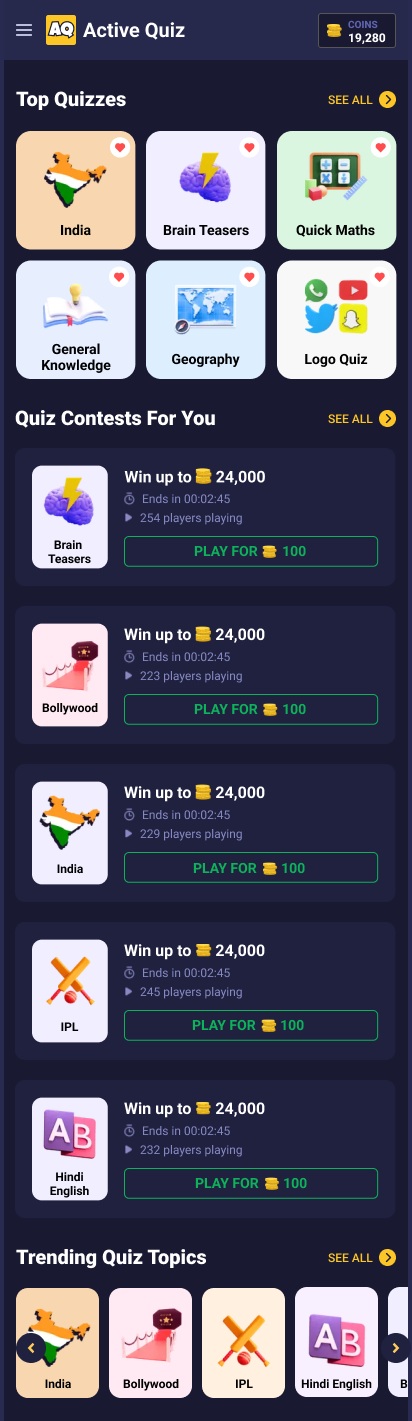
This screen acts as the dashboard and main entry point after login. It shows quizzes, quick navigation options, and user-specific stats in a dark UI layout.