Categories Screen Overview
Section Structure:
- Grid/List Layout: Displays quiz categories in a grid layout with each card showing an icon/image and the category title.
- Category Icon: Each card includes a visual icon representing the category such as a globe for GK or a film strip for Bollywood.
- Search Bar: A search field at the top allows users to filter categories quickly by name.
- Category Name: Clearly displayed category titles such as “India”, “Mythology”, “Sports”, etc.
- Tap to Explore: Tapping on a category opens a list of available quizzes within that specific category.
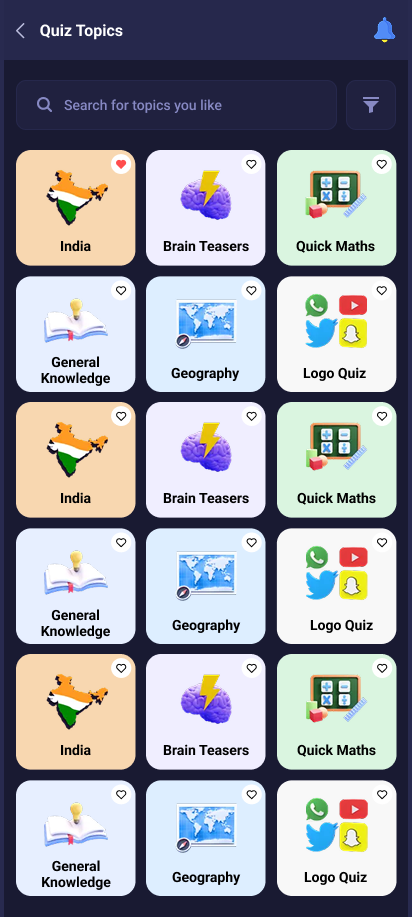
This screen lets users explore all available quiz categories in a grid format with icons and titles. Users can tap any category to view relevant quizzes.